
Packing for a short cave trip should take less time than the trip itself. The awkward part is often deciding what is already ready: which food to bring, whether a box contains tools or building materials, and how many supplies are hidden in scattered stacks. These three Java helpers answer different questions.
| Your sticking point | Choose | First useful action |
|---|---|---|
| Comparing the food you own | AppleSkin | Hover over two foods, then select the meal in your hotbar |
| Recognizing a packed shulker | Shulker Box Tooltip | Preview its contents without placing the box |
| Finding scattered materials | Inventory Profiles Next | Sort one general supply chest |
Choose the food before the route
AppleSkin shows food information in the tooltip and hunger HUD. In our inventory comparison, steak has a larger saturation indicator than bread. Seeing both rows lets you compare the meal's visible hunger restoration with its saturation contribution instead of choosing by stack size alone.
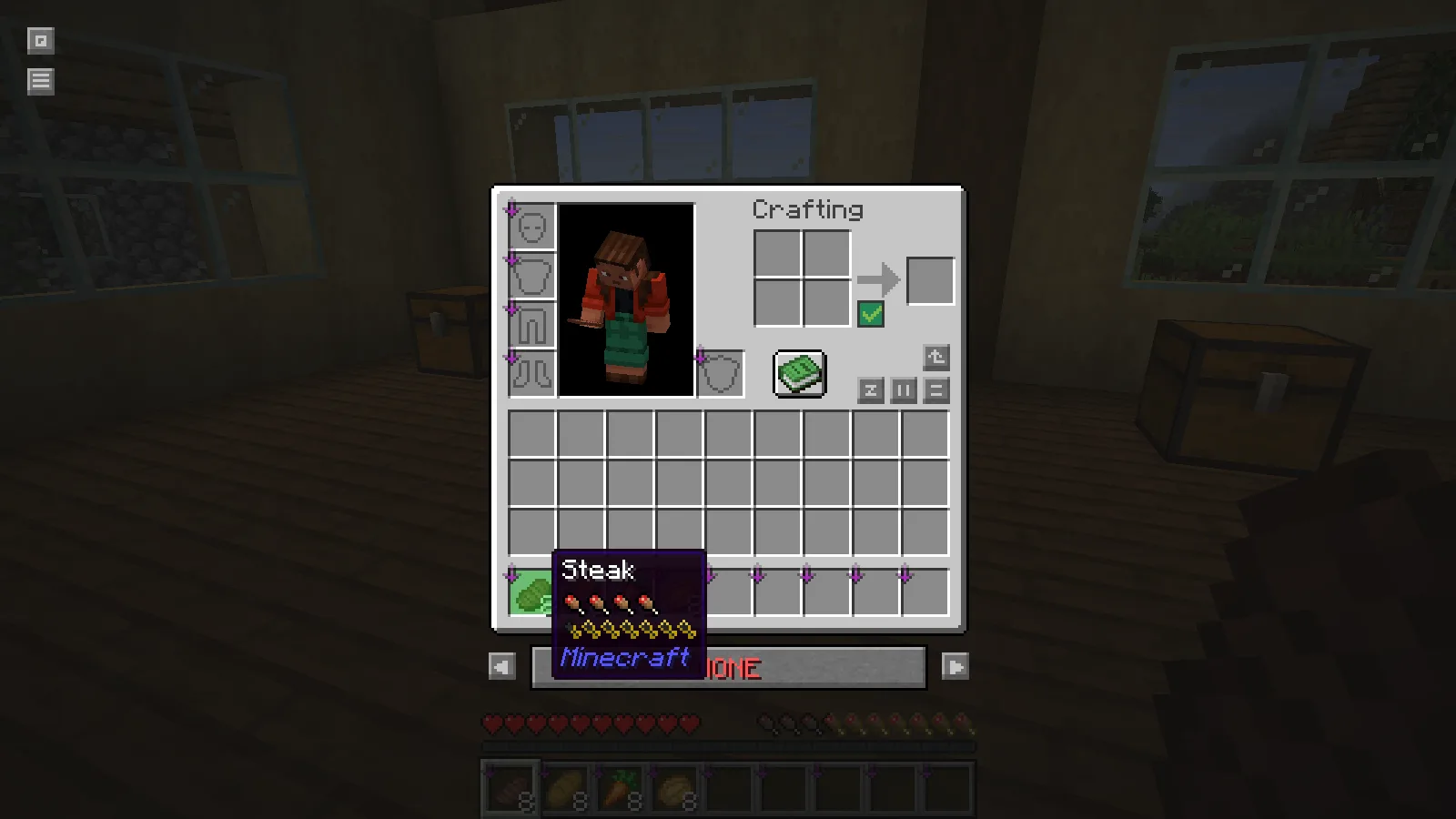
Use the information with the supplies you can replace. A wheat farm may make bread the convenient everyday choice, while an existing cooked-meat reserve may suit a longer outing. Select your chosen food in the hotbar to see its preview, then keep it within easy reach. The overlay explains the meal; it does not improve that meal or replenish your supplies.
The illustrated setup is AppleSkin 3.0.10 on Java 26.2 with Fabric. On a remote server, accurate live saturation and exhaustion information also depends on server support. The food tooltip and live hunger information are related features with different requirements.
Find the cave kit without unpacking it
Shulker Box Tooltip becomes useful when you already own shulker boxes. Hover over one and hold Shift in the demonstrated setup. Our Cave Kit preview shows torches, logs, bread, an iron pickaxe and a water bucket; the other box contains workshop materials.
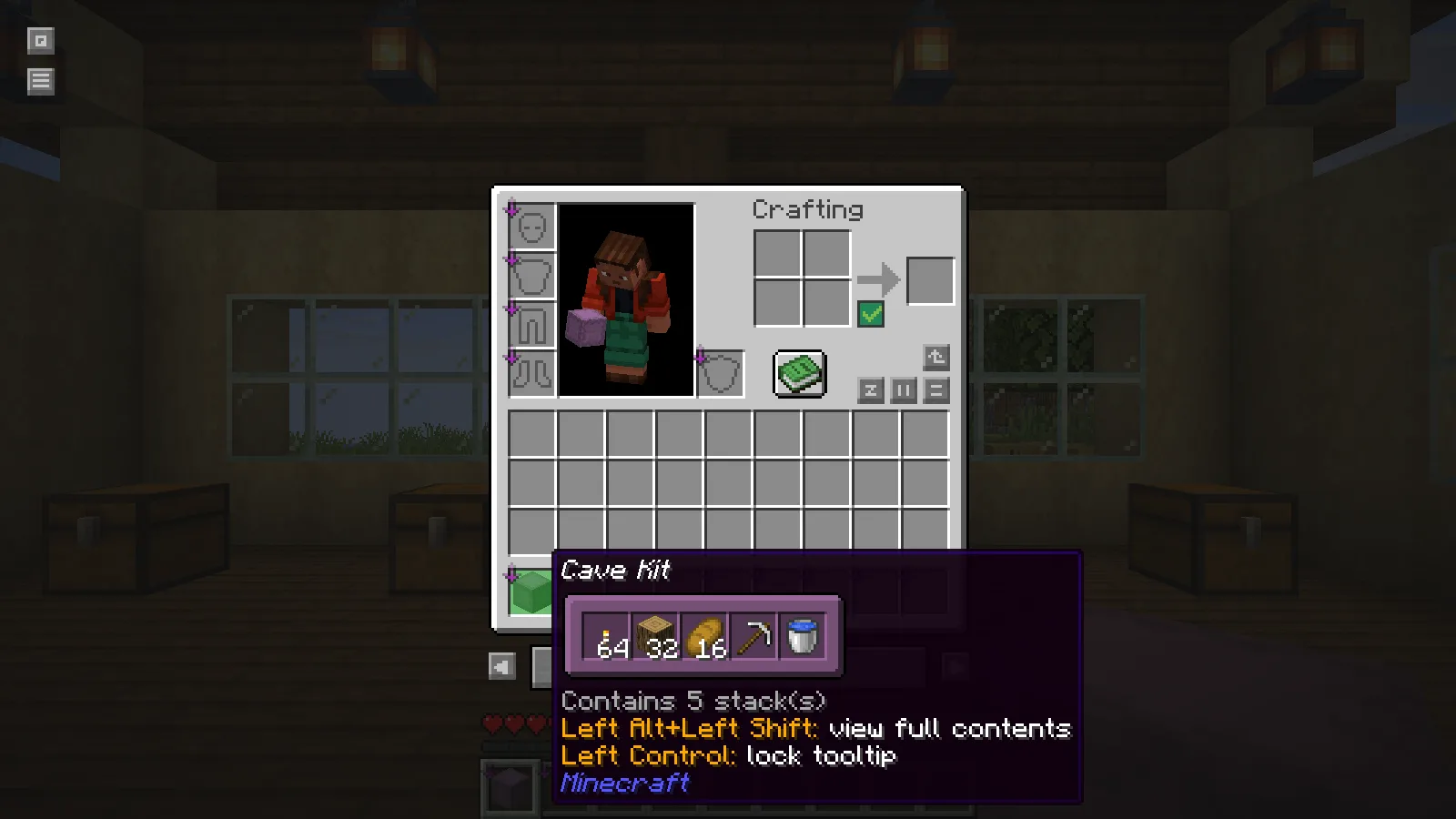
Give each box a job and a recognizable name even when previews are available. A compact preview is a fast identity check. Alt + Shift opens the full slot layout in this setup when you want to inspect empty spaces or deliberate grouping. To transfer items, place and open the container normally; the preview is not another inventory screen.
If you are still making your first iron tools, this is the helper to skip for now. A labeled supply chest and a few deliberate hotbar slots solve the immediate problem without requiring an end-game container.
Make the departure chest readable
Inventory Profiles Next helps when restocking is slowed by partial stacks in several rows. Our example chest begins with six occupied slots, including two oak-log stacks. One use of its chest Sort Inventory button combines those logs and brings the materials into five adjacent slots without changing their totals.
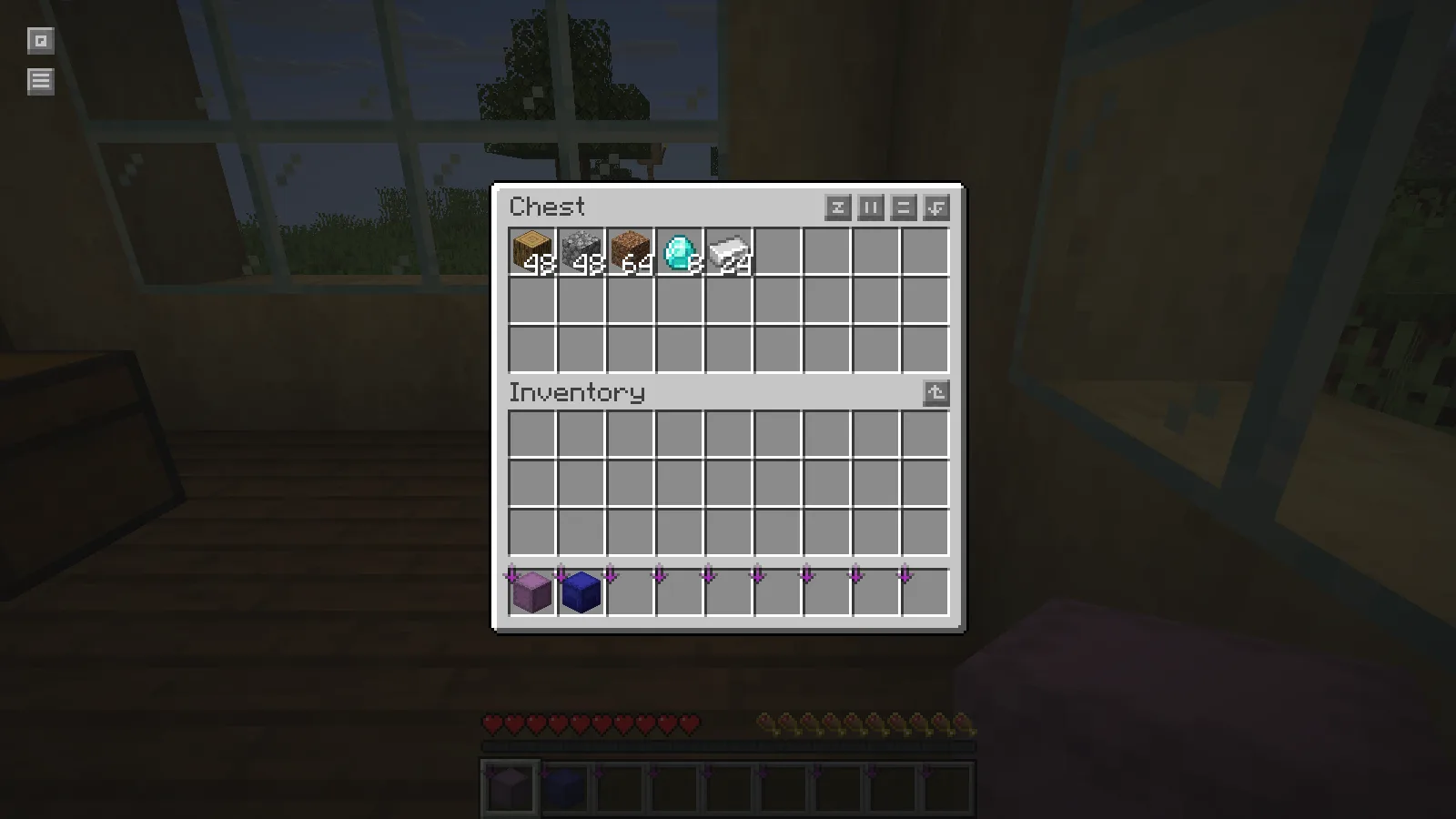
Look at the button's tooltip first: the example uses Default (Creative Menu) order, which is not alphabetical. Use it on a general supply chest before touching a layout where separate rows have meanings. A chest arranged as “take this row for one trip” may be more useful left alone.
Pick one helper and leave room for the return
The pictured versions are Shulker Box Tooltip 5.4.1 and IPN 2.3.8, both in Java 26.2 Fabric profiles. IPN needs Fabric API, Fabric Language Kotlin and libIPN; the tooltip's Fabric package uses Fabric API's resource-loader module. Follow the installation guide for the actual instance you launch and match each file's version.
Before leaving, check food, light, the main tool and some empty slots. Install the helper that makes the slowest part of that routine clearer. A short trip still benefits from a return point and a sensible stopping rule; a tidy inventory is preparation, not a substitute for watching the cave.
In this collection
This is a curated reading list. Check each project's files and requirements before installing; inclusion does not guarantee compatibility.
AppleSkin: compare food before a cave trip
Java · by MineCanvas Java Library
Compare food values before choosing the supplies for a cave trip.
Shulker Box Tooltip: find the right kit without placing it
Java · by MineCanvas Java Library
Read the contents of a shulker kit without placing the box.
Inventory Profiles Next: turn a scattered chest into five stacks
Java · by MineCanvas Java Library
Combine matching stacks and inspect a sorted supply chest.
Install a Fabric mod in the Minecraft instance you actually use
Java · by MineCanvas Java Library
Install the matching Fabric file and its required libraries in the correct instance.
Comments & questions
Share what worked, ask for help or reply to another player.
No comments yet. Share what worked for you.