
A familiar Minecraft world can look different without changing its buildings. The useful question is where you want the change: in the texture detail, the older color palette, the inventory panels or one distracting surface. These Java choices affect different parts of the view, so start with the part you notice every day.
| What you want | First choice | Where to compare it |
|---|---|---|
| More detail in recognizable materials | Faithful 32x | A workshop wall, floor and crafting table |
| A classic Minecraft character | Golden Days Base | The same room, then its grass and distant landscape |
| Darker inventory panels | Default Dark Mode | A full chest and the crafting screen |
| Green sides on grass terraces | Fast Better Grass | A stepped bank beside your path |
| Fewer divisions across ordinary glass | Continuity | An existing wide window |
More detail, or an older character?
Faithful 32x keeps the materials recognizable while adding finer detail. Our workshop comparison makes the change visible on crafting tables, wooden flooring and nearby stone. It suits a player who likes the current build and wants its close surfaces to carry more detail.
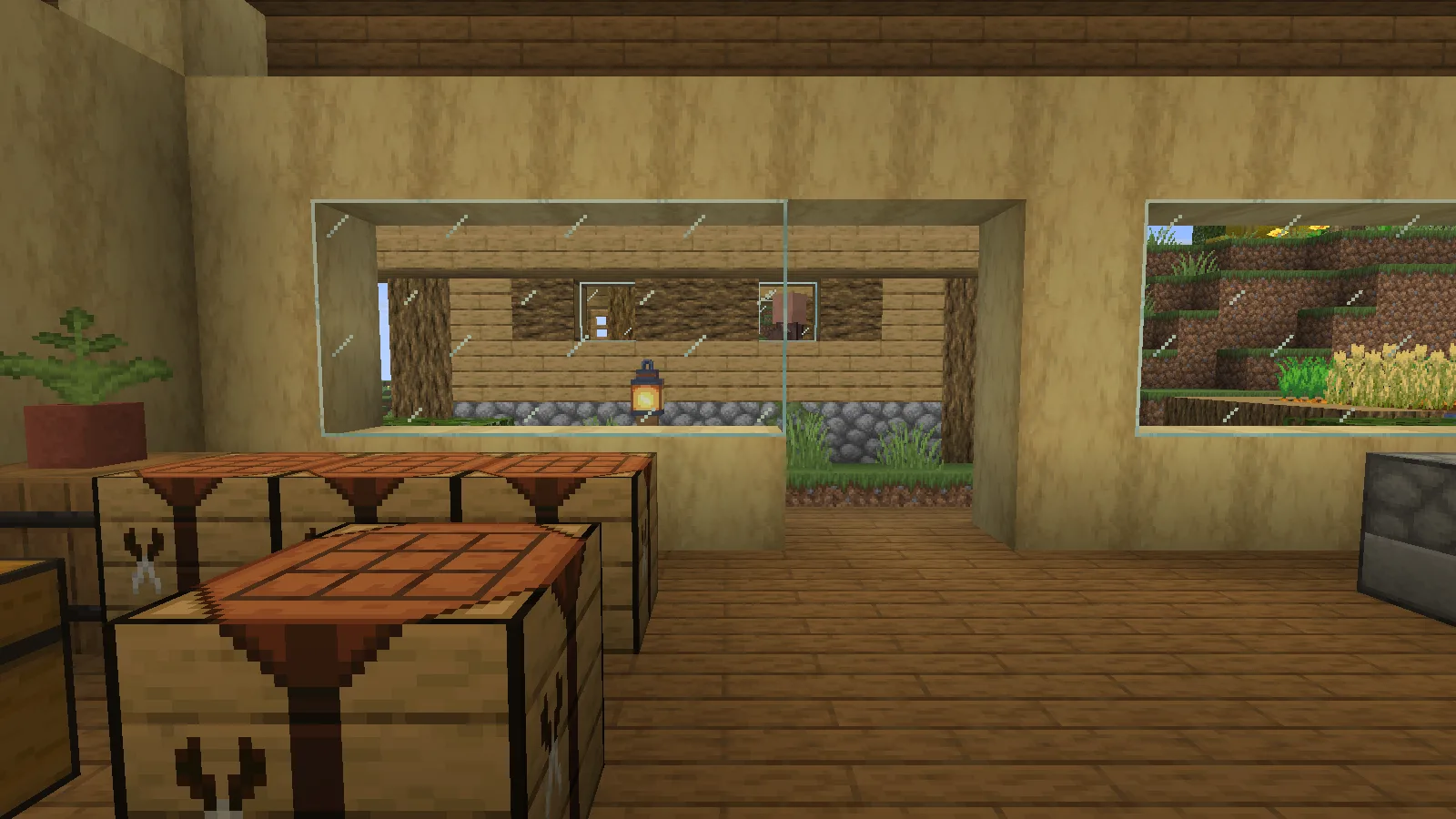
Golden Days Base makes a broader stylistic change. In the same workshop, the stronger crafting-table pattern, glass marks and wood textures give the room an older character; the grass and distant hillside carry that direction outside. Choose it when the palette and atmosphere interest you more than added pixel detail.
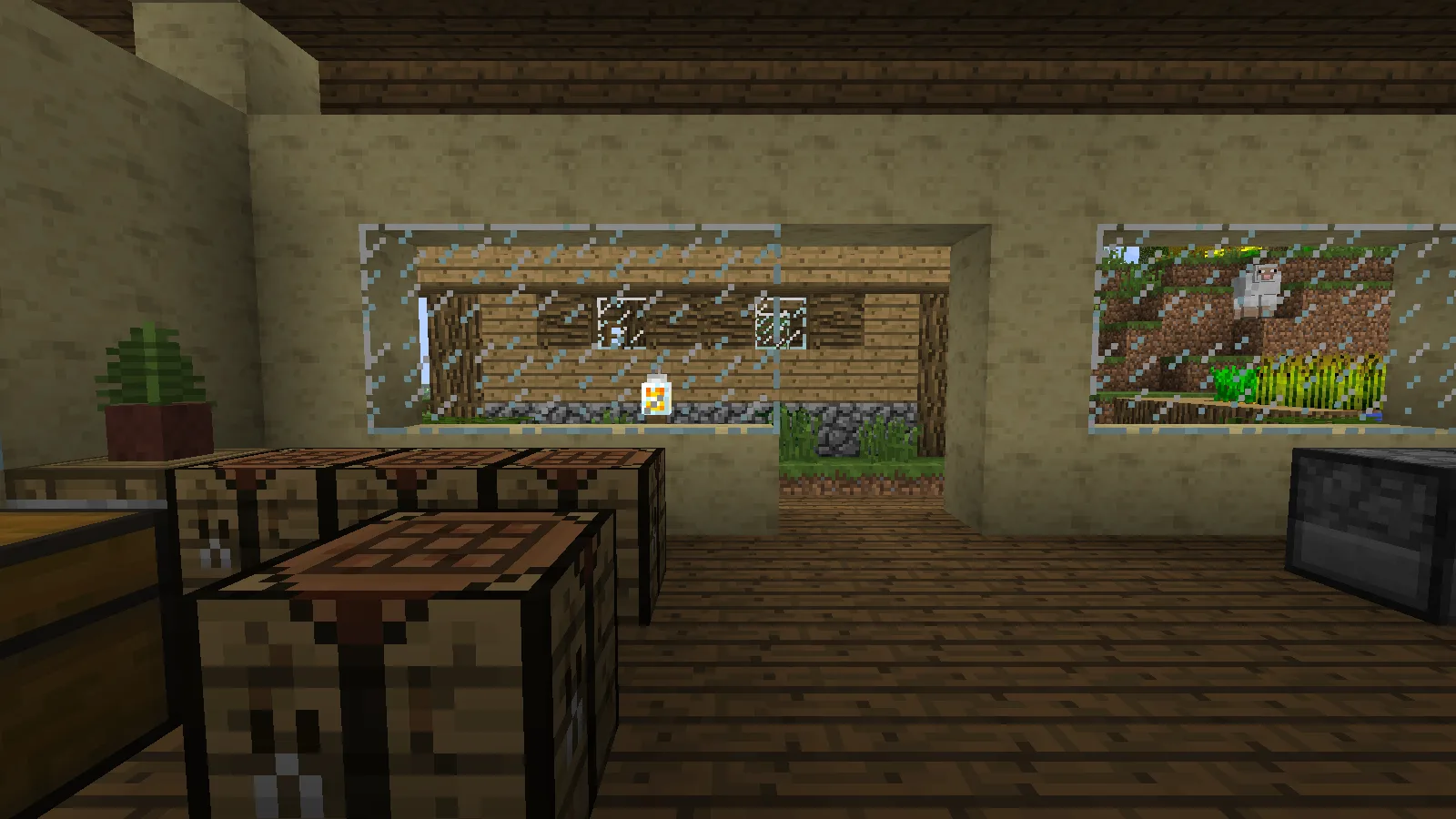
The setup matters. Our Golden Days Base 16.3 sits above Programmer Art, then Vanilla, with shaders disabled. Faithful uses its June 2026 Java 26.2 release. Both illustrated profiles have Continuity installed, which can render connected textures supplied by the packs; the window appearance is not a promise about either ZIP on an otherwise unmodified client.
Walk out of the room before deciding. A material can be attractive close up yet feel too busy across a long wall. Look at your ordinary path, roof and farm as well as the best-looking corner.
Change the screen you use most
Default Dark Mode is a narrower choice: it darkens chest and crafting panels while retaining their familiar layouts. If the world already looks right and the light interface is what you want to change, begin here.
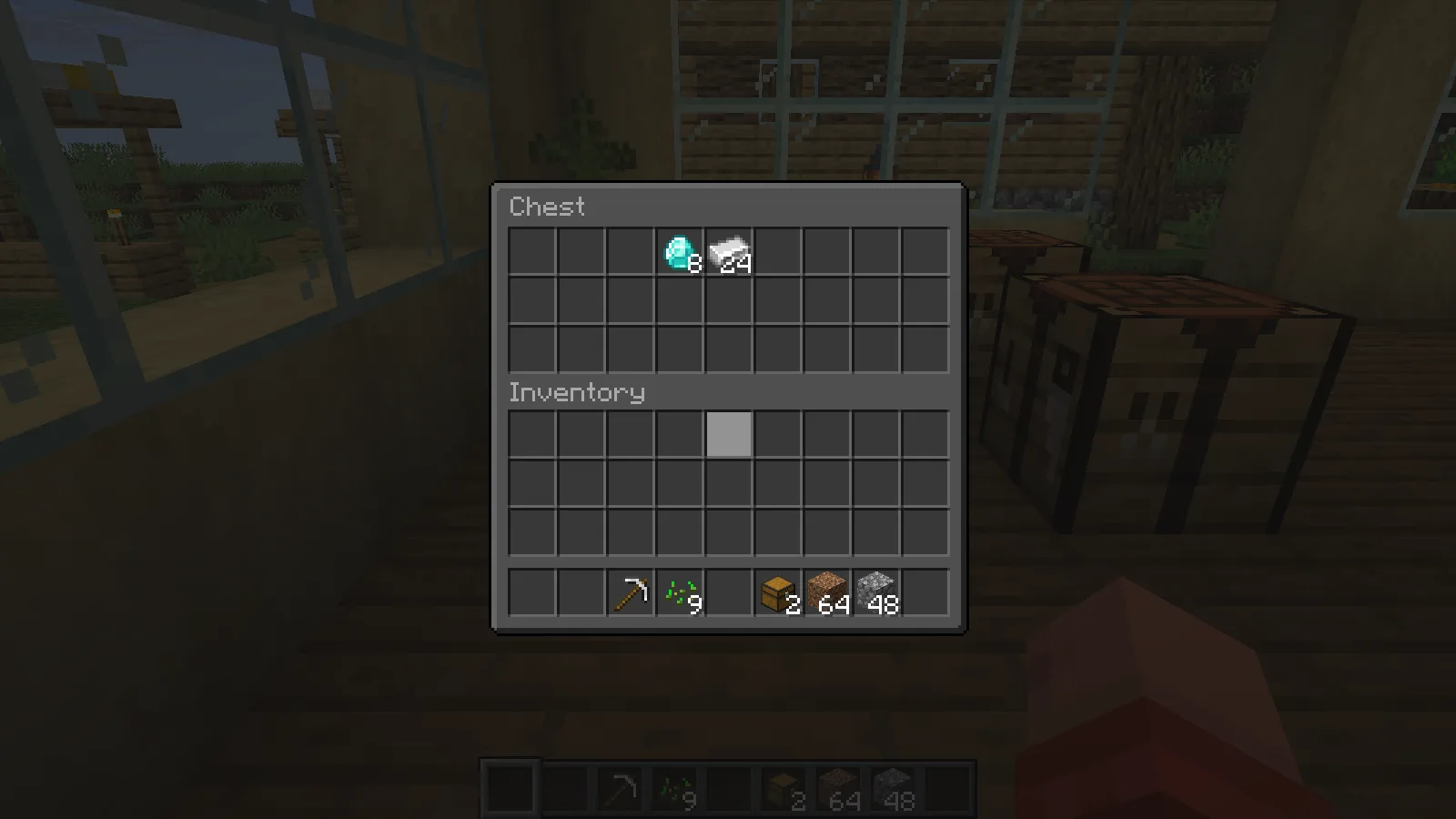
Check a hovered slot, the tooltip and a few dim item icons at your normal GUI scale. The useful result is an interface you can comfortably read, not simply a darker screenshot. Our examples use version 2026.6.0 on Java 26.2. Another pack placed above it can override a screen, and modded menus may supply their own textures.
Fix one surface instead of the whole palette
Fast Better Grass turns the exposed sides of grass terraces green. Our matched viewpoint keeps the bank's shape unchanged; the brown horizontal bands become a more continuous green surface. This suits a garden slope if you prefer that appearance. The default dirt sides may be better when you want each step to remain distinct.
Continuity tackles a different distraction. Its Default Connected Textures built-in pack removes interior borders across the ordinary glass window in our example. Use that route for a greenhouse or a landscape-facing room, where the view beyond the glass is the point. It is a Fabric visual mod with a pack-selection step, rather than another general texture ZIP.
Make a comparison you can trust
Use one scene and change one layer at a time. Keep the camera, daylight and building the same; compare nearby surfaces and then walk through them. Texture packs and connected-texture support are separate from shader lighting, so leave shaders out of your first material comparison.
The linked files and pictures here are for Java. A similarly named Bedrock project needs its own compatible package. Once one change earns its place, add another only if you know which pack should win when both replace the same resource.
In this collection
This is a curated reading list. Check each project's files and requirements before installing; inclusion does not guarantee compatibility.
Faithful 32x: add detail to a familiar workshop
Java · by MineCanvas Java Library
Add texture detail while keeping familiar blocks recognizable.
Golden Days: give a modern workshop a classic Minecraft look
Java · by MineCanvas Java Library
Use the classic look with the required Programmer Art layer underneath Base.
Default Dark Mode: darken the chest and crafting screens
Java · by MineCanvas Java Library
Change inventory and crafting screen colors while keeping world textures separate.
Fast Better Grass: give a stepped hillside green sides
Java · by MineCanvas Java Library
Compare grass-covered slopes with the pack enabled and disabled.
Continuity: clear the grid from a workshop window
Java · by MineCanvas Java Library
Check connected glass using the matching Fabric mod and its built-in packs.
Comments & questions
Share what worked, ask for help or reply to another player.
No comments yet. Share what worked for you.