
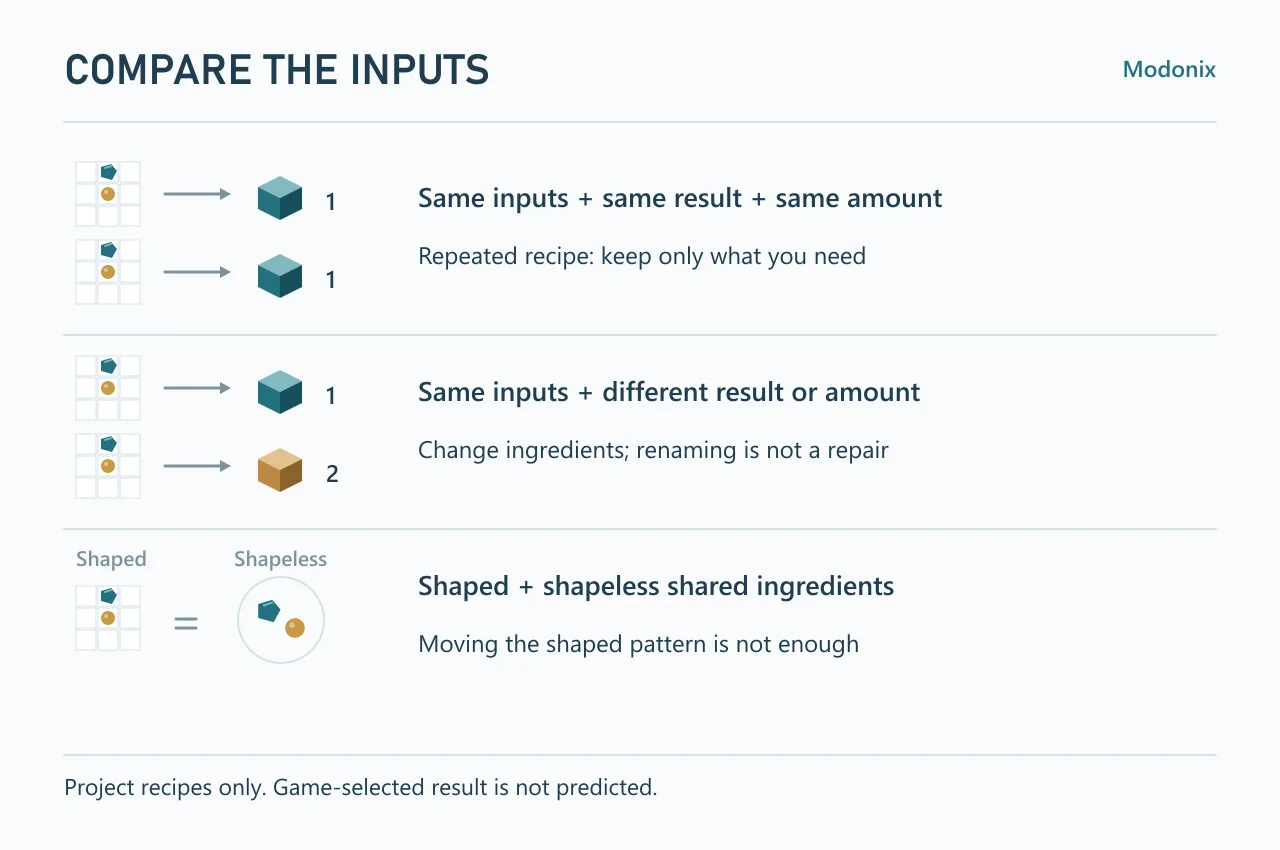
A new recipe ID does not give a crafting pattern new ingredients. If two recipes accept the same inputs, changing their names—or making one produce more items—does not separate them.
Compare two complete recipes
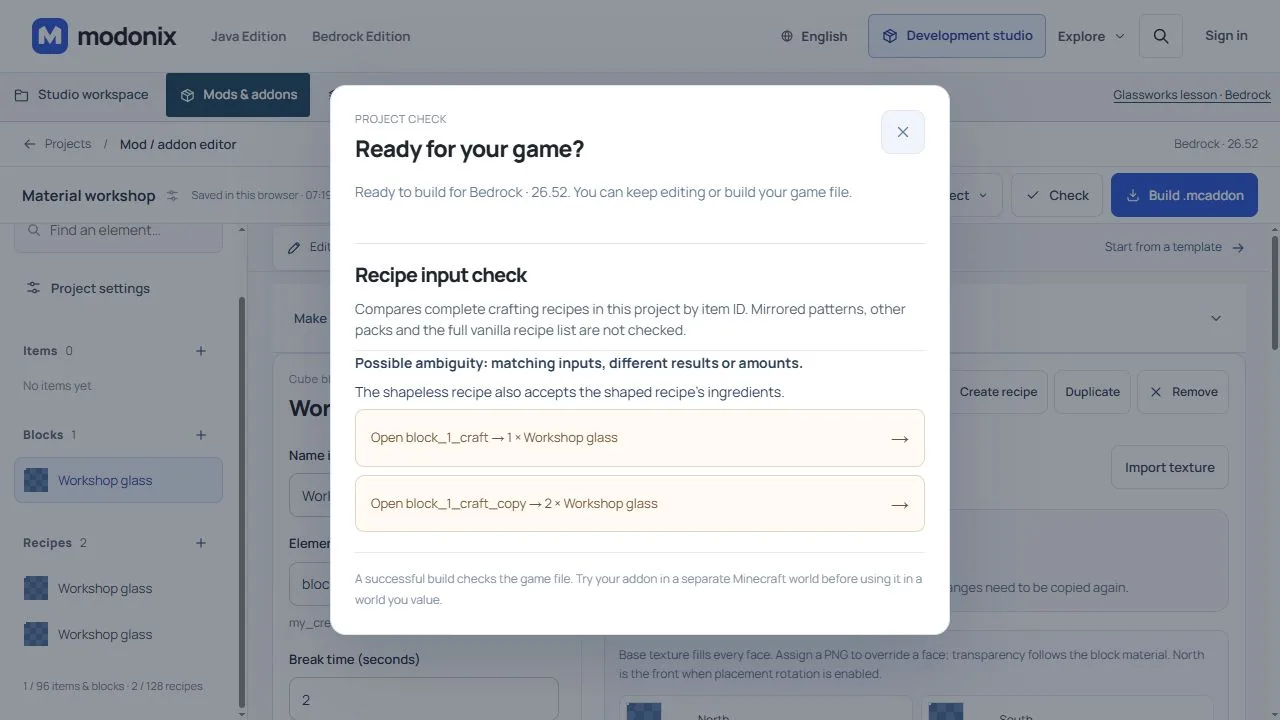
In the constructor, select a crafting recipe and finish its ingredients, result and Recipe amount. Recipe input check needs at least two complete crafting recipes in the project. It also appears in Check project; each Open… button names the exact recipe, amount and result.
Try this in a copy of a project containing your own block:
- Name your block Workshop glass. Make a shaped recipe with one Glass item and a result of one Workshop glass. Duplicate it. The check identifies repeated inputs, result and amount. Keep one recipe if the copy has no separate purpose.
- Change the copy to shapeless and set its result to two Workshop glass blocks. The panel now compares the same Glass input with outputs of 1 and 2, including a shaped/shapeless overlap. To separate the recipes, change the ingredients—for example, add a clay ball to the copy—then check again. Changing only the recipe name or amount is not a repair.
Position matters differently for each type
Two shaped patterns are compared after empty outer rows and columns are removed. Moving the same compact pattern across the grid therefore does not necessarily make a new recipe. Two shapeless recipes match by ingredients and quantities, regardless of their grid positions.
A shapeless recipe can also accept the ingredients of a shaped one. If that is the overlap, rearranging the shaped pattern will not remove the shared ingredient set. Change an ingredient or remove the redundant recipe.
Separate ordinary Glass from your custom glass
Give the two materials distinct names in your recipe notes. Harbor Workshop uses ordinary Glass in its first two recipes, while Workshop Glass is the custom block they produce:
| Ingredients | Recipe type | Set the result to |
|---|---|---|
| Glass ×1 | Shaped, one occupied slot | Workshop Glass ×1 |
| Glass ×1 + Clay Ball ×1 | Shapeless | Workshop Glass ×2 |
| Workshop Glass ×1 + Clay Ball ×1 | Shapeless | Harbor Solid Panel ×1 |
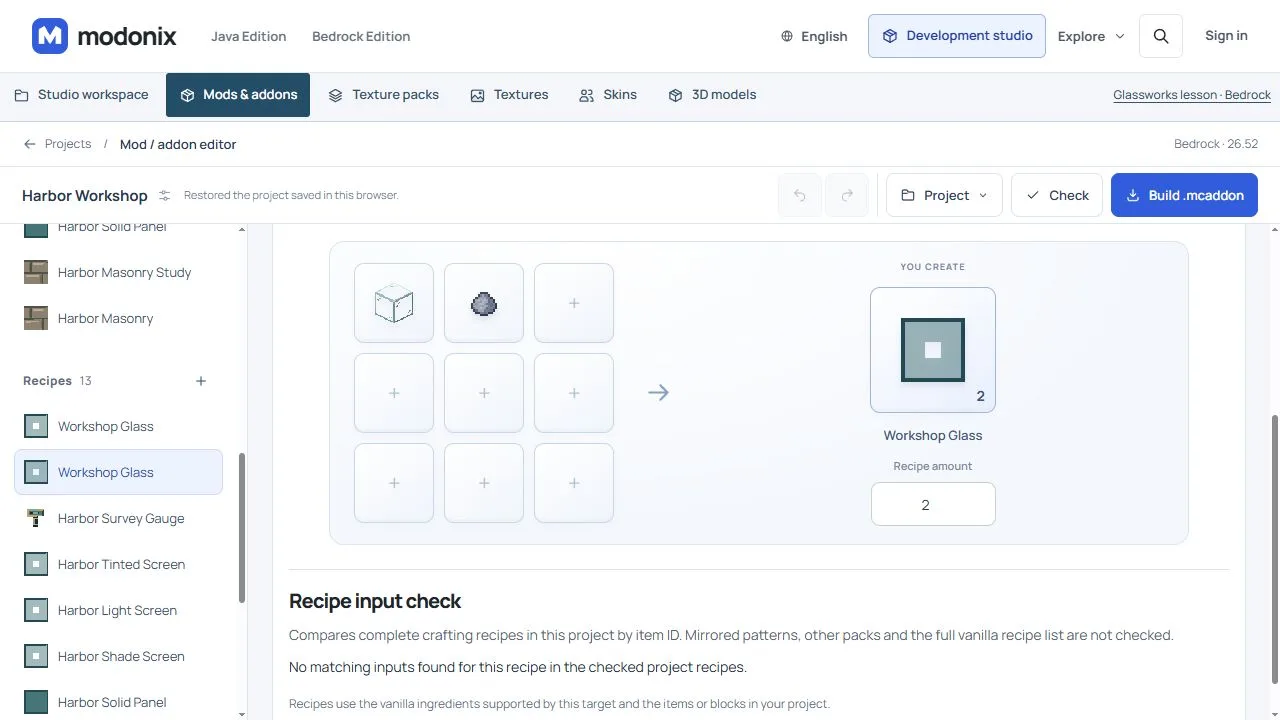
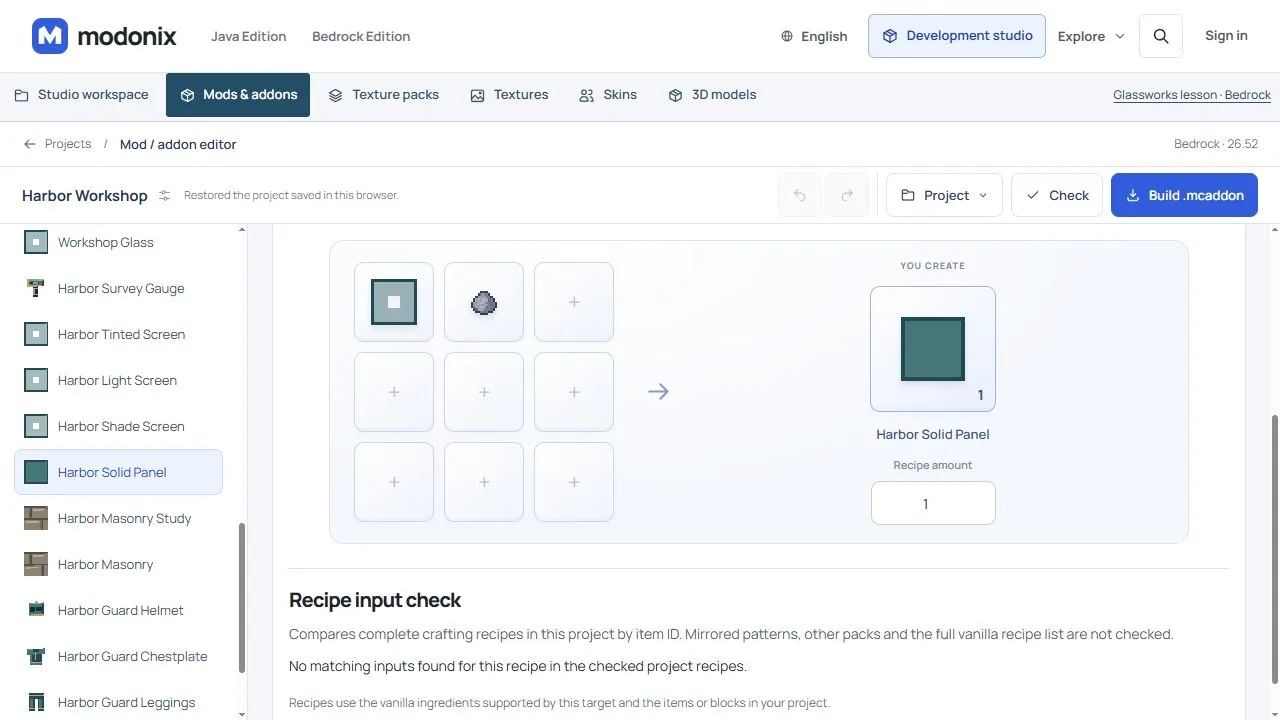
The last two rows look similar when shortened to “glass plus clay.” They use different glass items. Open each recipe and inspect the selected ingredient, not just its title or picture. In the constructor, the ordinary item is minecraft:glass; the custom block is harbor_workshop:screen_cutout.
Use Recipe input check to review the pair after adding the clay ball. Then open the Solid Panel recipe and check its custom input and result separately. Changing Recipe amount from 1 to 2 alone would leave the original single-Glass overlap; adding the clay ball changes the inputs.
Before sharing the pack, try the two glass-and-clay recipes at a crafting table. Take each result into your inventory and check both its count and the ingredients used. Keep the recipe-book check separate: a definition in the constructor does not show which entry the game will display. The inspector compares this project's recipes; it does not certify every recipe in another active pack.
Protect a recipe players already use
Java Glassworks 0.1.1 gives a concrete example: four Brick items still craft vanilla Bricks; four Brick items plus a clay ball craft four custom Terracotta Bricks. The added ingredient distinguishes the new recipe while preserving the familiar one.
Use the panel as a focused warning, not a game-result prediction. It compares complete shaped/shapeless recipes in this project by item ID; it does not check mirrored patterns, other packs or the whole vanilla recipe list. Save and reopen the project, review both linked recipes, then test the intended craft and the preserved craft in the game. Recipe-book behavior needs its own check.
Comments 0
Share what worked, ask for help or reply to another player.
Use your Modonix account to join the discussion and manage your comments.
Sign in to commentNo comments yet. Share what worked for you.