
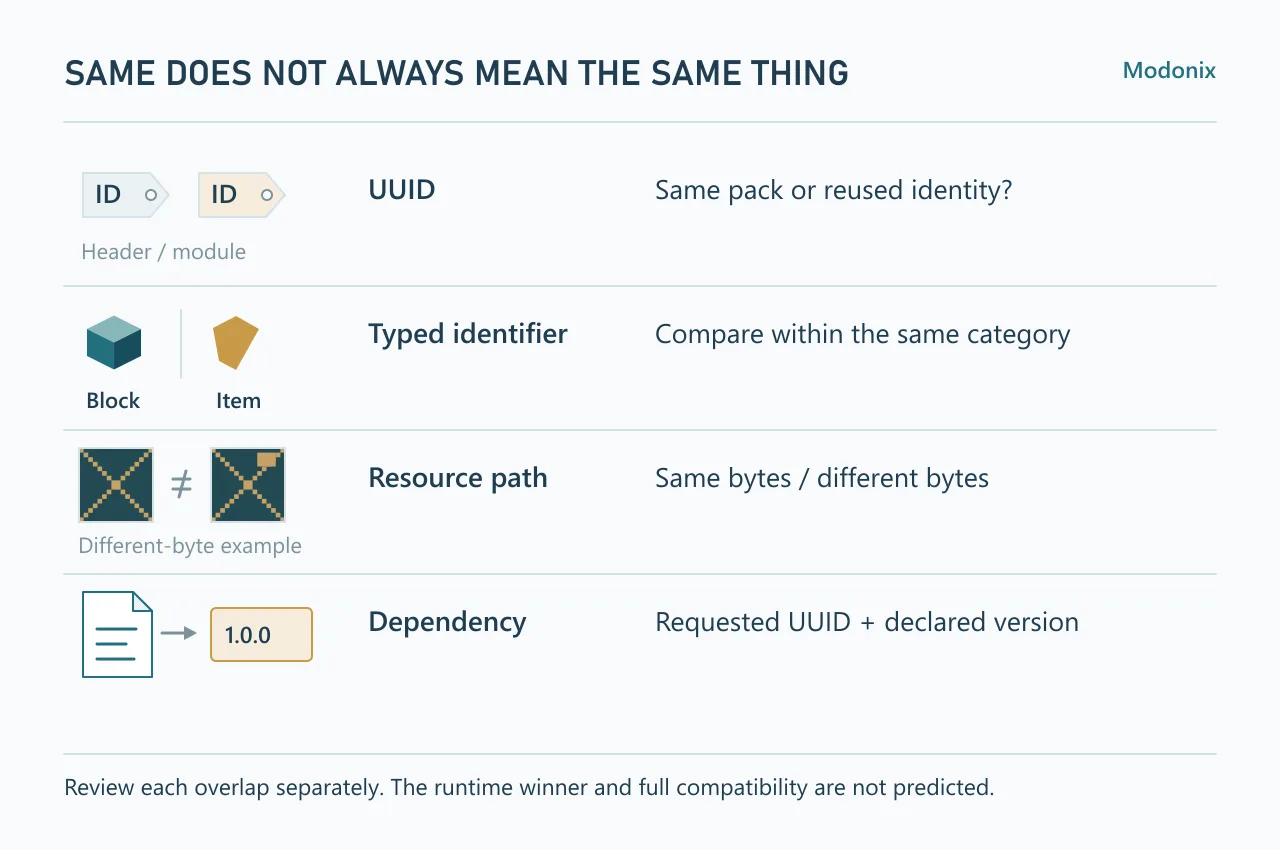
Two add-ons can use different display names and still define the same block or texture. Before combining them, use Pack file inspector to compare the files you actually intend to use. A shared name, identity and resource path are different questions.
Put the two intended files side by side
- Select Compare two packs under Choose a task.
- Choose one ZIP, MCPACK or MCADDON in First pack and the other in Second pack.
- Select Inspect files. Read each input's own findings before scrolling to Intersections between the inputs.
- Open Observed values beside an intersection to see the identifier, category or resource and the other file's location.
Get the practice archives from the texture-path lesson.
For a repeatable exercise, compare bedrock-pair-broken.mcaddon and bedrock-pair-corrected.mcaddon from the lesson files. They deliberately represent two revisions of the same tiny example. Their overlaps teach the report; they are not two independent playable add-ons to activate together.
Decide by the kind of overlap
| Finding | What to review |
|---|---|
| Matching UUID in both inputs | Check the exact header or module identity. You may have two versions of one pack, or an identity copied into another project. |
| Matching identifier in both inputs | Compare the category and definition. A block ID is compared with block IDs; the same text used by an item is a separate category. |
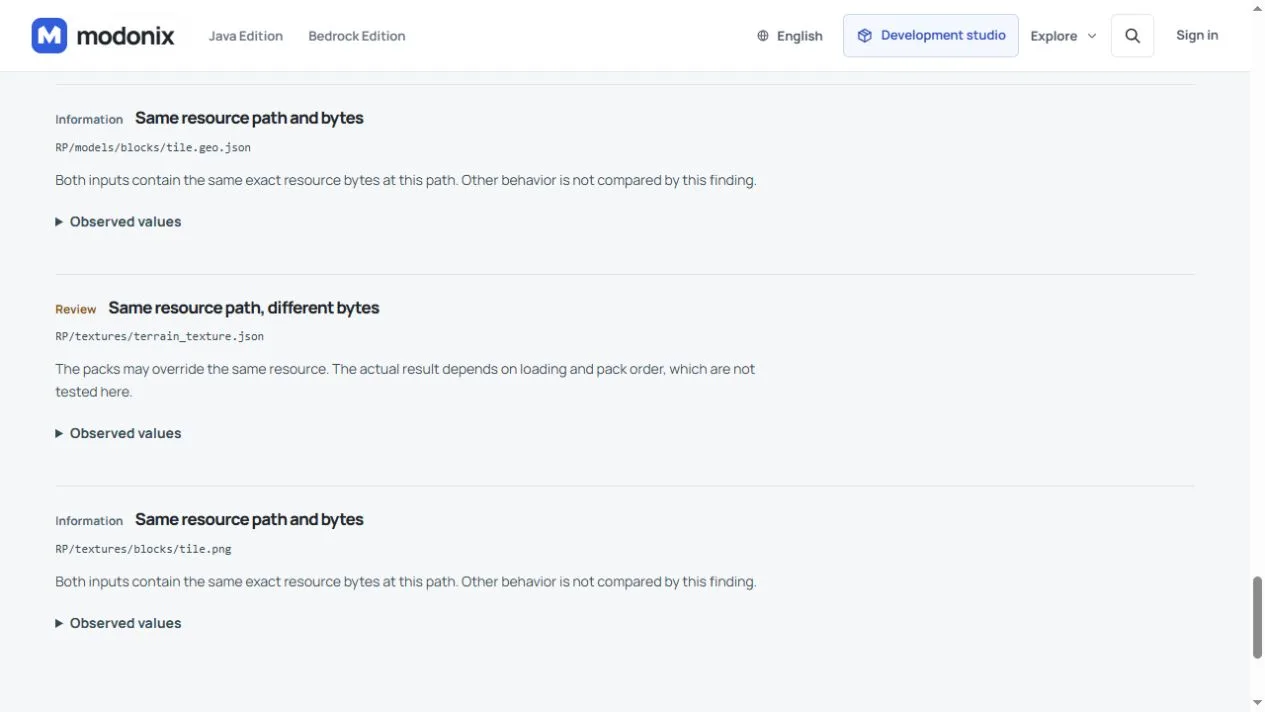
| Same resource path and bytes | These particular files are identical. This says nothing about the rest of either add-on. |
| Same resource path, different bytes | Both supply a resource at that path. Review the two definitions or images and the intended pack order. |
| Dependency-version finding | Check which UUID is requested, which version is declared and whether the matching pack was actually supplied. |
Open Observed values under Matching identifier in both inputs and read the category before deciding what overlaps. In this example, category is block, id is studio_check:tile, and other points to the second BP/blocks/tile.json. Compare those two block definitions; changing the visible pack name will not change this identifier.
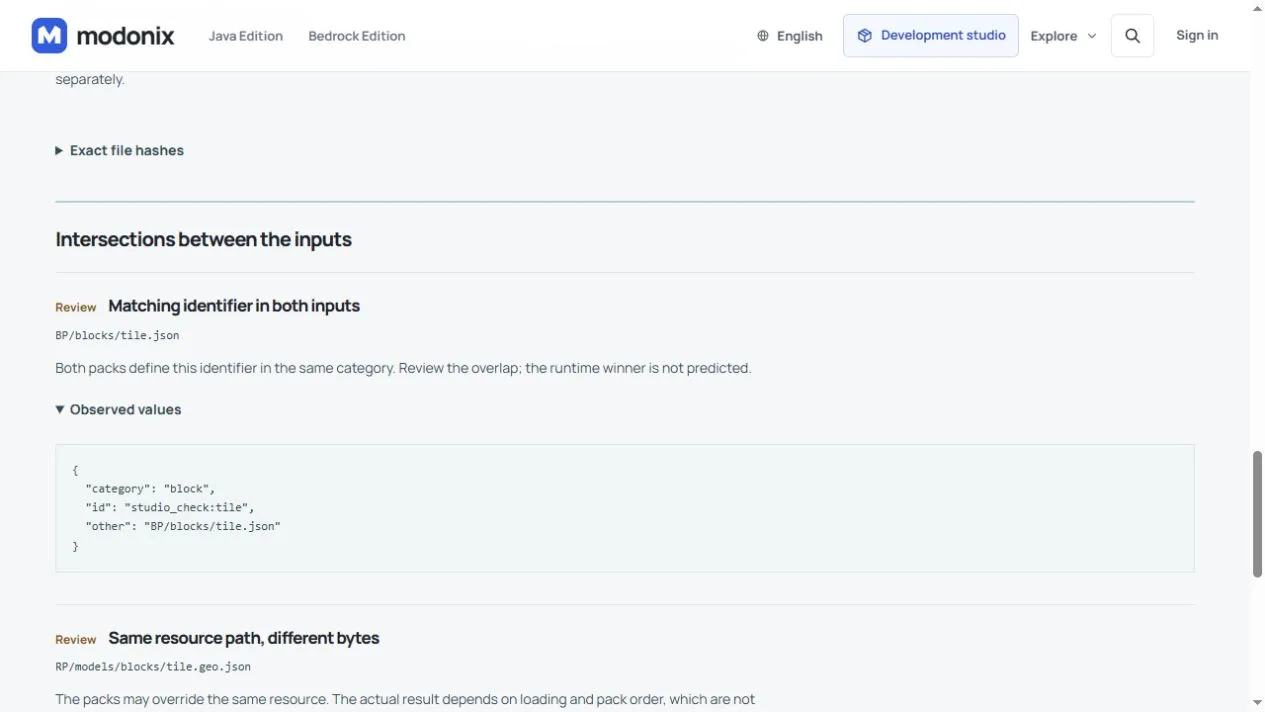
In the practice pair, studio_check:tile repeats as a block identifier. The PNG at textures/blocks/tile.png is identical, while textures/terrain_texture.json differs. The BP declarations also request different versions of the same RP. These are separate findings, not one generic “conflict.”
Pack order does not repair every cause
Changing order can affect resource selection, but it does not rewrite a UUID, change a custom block's identifier or correct a dependency declaration. For an appearance-only overlap, use the Bedrock resource-pack order guide after deciding which art you want. If these are old and new copies of one add-on, switch to Compare an update instead of treating both as independent packs.
For your own unreleased projects, keep identities and resource names deliberately distinct. For installed content, do not rename IDs casually: worlds can refer to the existing names. Ask the creator for an intended compatible pair or choose which pack to keep, then test in a copy of the world.
Keep the unresolved questions visible
The comparison checks supported UUIDs, typed identifiers, resource paths and dependency declarations. It does not evaluate scripts, command behavior or every schema, and it does not predict the runtime winner. Dependency not supplied means absent from the selected inputs, not absent from your device. No intersections found is not compatibility approval.
The Ridgeway camp-kit lesson remains the practical route for authoring that creation. Its game behavior and this file comparison answer different questions; matching files cannot replace the gameplay check.
Comments 0
Share what worked, ask for help or reply to another player.
Use your Modonix account to join the discussion and manage your comments.
Sign in to commentNo comments yet. Share what worked for you.