
Chunky Renderer turns a Java world into an offline still image. Choose it when you want to compose a clear view of a house, harbor or landscape and let the image accumulate detail over time. It is separate from the server plugin also named Chunky, which pregenerates terrain.
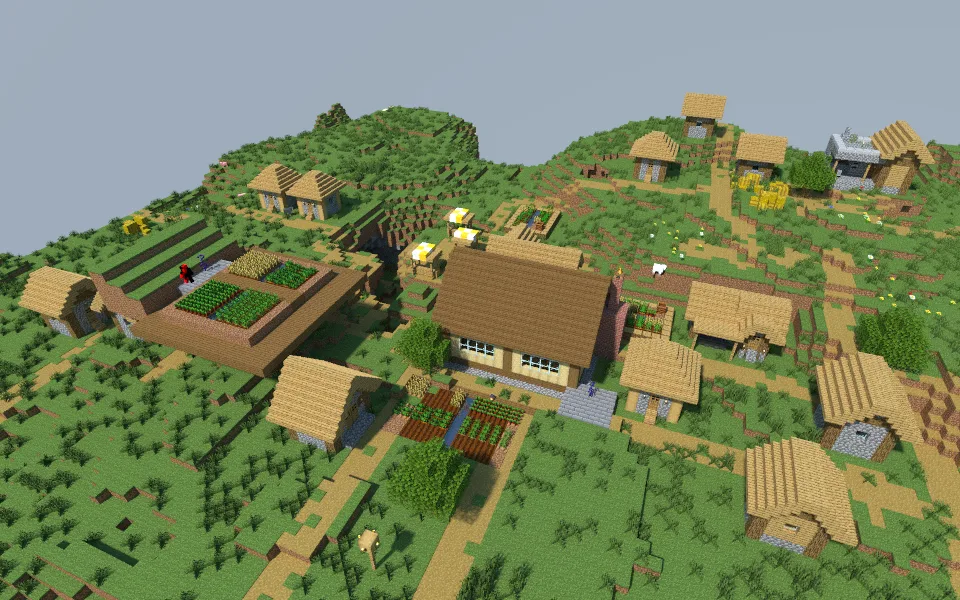
The example above comes from our Field Workshop world copy. The building, paths and farms give the picture a clear subject without loading an entire world. This is an offline render, not the view produced by a Minecraft shader.
Match the renderer to the world
The example uses 2.5.0-SNAPSHOT.478.g527cb4a, a development build, for the Java 26.2 save. Stable 2.4.6 has a different compatibility range: the official table lists Java support through 1.20.4. Check the renderer's compatibility table before choosing a world, and keep the exact build with your scene files.
Modded blocks need particular care. The renderer reported the workshop's Waystones andesite waystone as unsupported, so this image is useful for the surrounding vanilla construction rather than as a faithful illustration of that block. Bedrock worlds are not native inputs.
Compose before committing to a long render
In Map View, use Change World to open a compatible world copy. Select the chunks around the subject, including the background visible from your camera, and load them into a scene. The Map tab helps you see whether the selected area ends too close to a hill, riverbank or building.
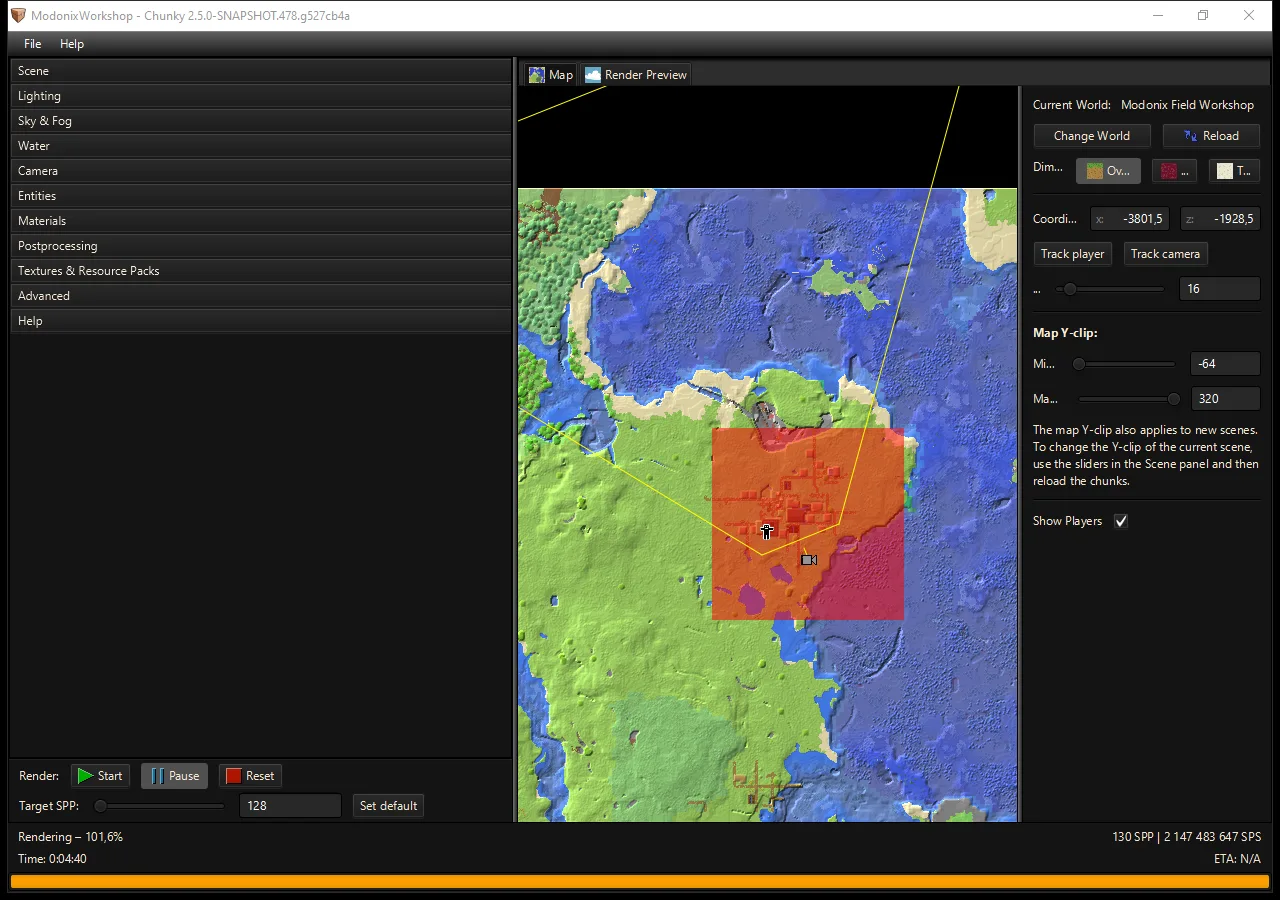
Choose one question for the image: where is the entrance, what makes the roof interesting, or how does the building fit its landscape? Put that feature in view before experimenting with dramatic fog or many light emitters. A small daytime canvas is a useful first pass because framing problems are easy to spot.
Check the silhouette, foreground and horizon. A tree behind a chimney or a fence filling the bottom of the frame may need a small camera move. More samples reduce noise; they do not repair the composition. The workshop example used a 960 × 600 canvas and a target of 128 samples per pixel and finished at 130 as the parallel workers completed their work.
Keep the scene with the exported picture
Save the named scene so its camera, lighting and render state are available for another pass. Use Save current frame for an image, and keep the original world copy separately. A Chunky scene is a rendering project, not a playable Minecraft save.
For a second image, change one decision: a lower viewpoint, a closer detail or warmer light. Compare the results at the size someone will actually see. Label shared work as a Chunky render so other players can distinguish the illustration from ordinary gameplay.
Use this tool
This resource is hosted on its own website.
Open tool ↗chunky-dev.github.io
Comments & questions
Share what worked, ask for help or reply to another player.
No comments yet. Share what worked for you.