
A shared world can be confusing for three different reasons: people cannot picture where things are, they spend the same evening walking between familiar places, or they need an operator for one ordinary task. BlueMap, Waystones and LuckPerms address those problems in different ways. Choose the problem before choosing a download.
| What your group needs | Start with | What it changes |
|---|---|---|
| An understandable view of the settlement | BlueMap | A map opened in a browser |
| Faster trips between established destinations | Waystones | An in-game travel network |
| Access to one command without operator status | LuckPerms | Server permission assignments |
Explain the place with a map
BlueMap suits a group planning a road, showing a newcomer the storage district or deciding how a harbor connects to the village. Its map can hold the building, paths and terrain in one view. Our Field Workshop example becomes easier to understand when you zoom out from the entrance and see the surrounding crop plots.
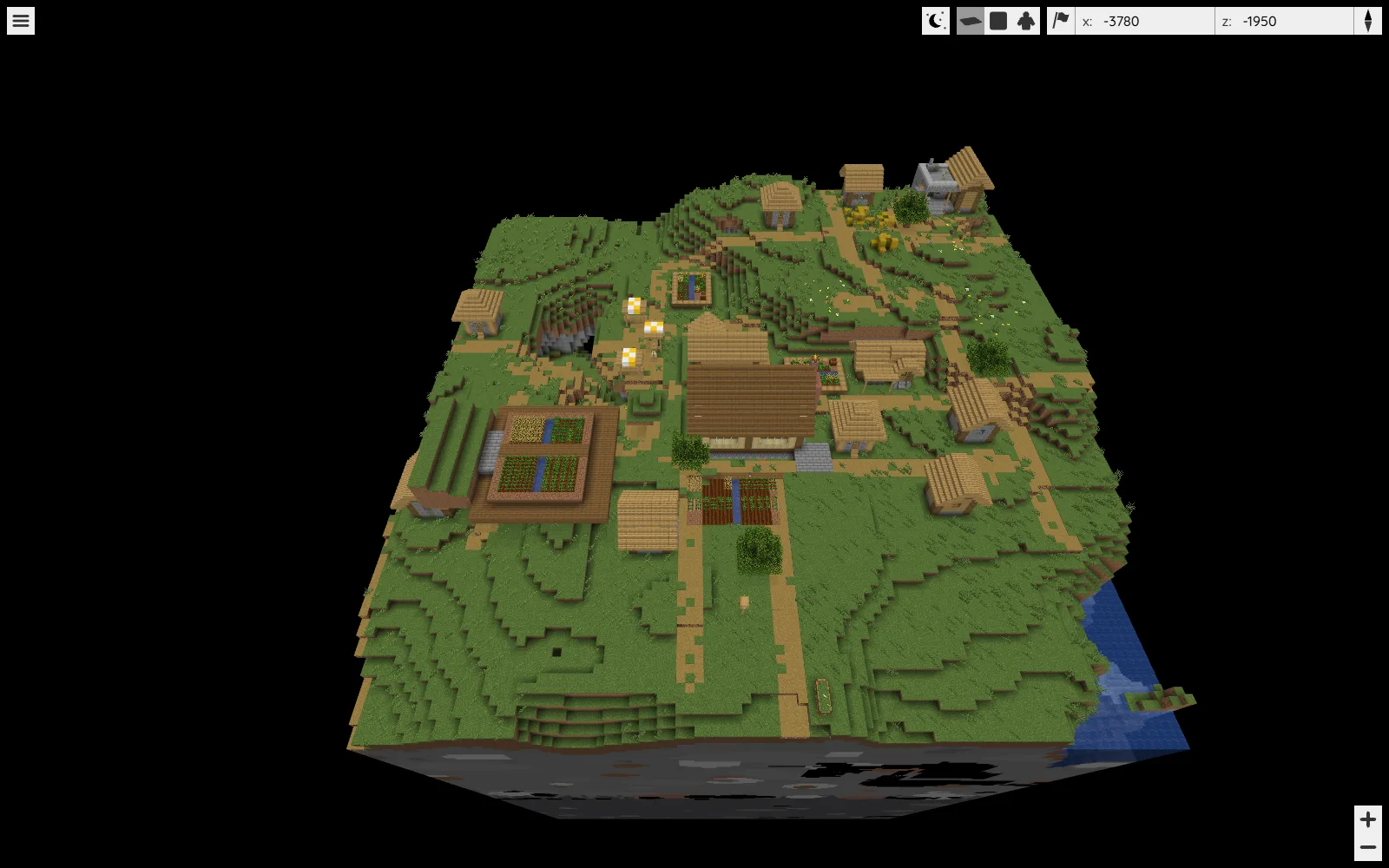
Begin with a useful district rather than every distant explored area. Choose a recognizable starting location and name destinations by their jobs: main storage, river landing and north tunnel. Check the map after major construction, because a render of saved world data can lag behind a bridge you just moved.
BlueMap has builds for supported Java server platforms and a standalone CLI route for a closed world copy. The 5.28 example uses Java 25 or newer. A browser map does not require each visitor to install a Minecraft travel mod, and it does not move anyone through the world. Decide which areas your group wants to show before making the map broadly accessible.
Make repeated trips into named stops
Waystones fits a different routine: the garden and workshop are already familiar, but the group keeps traveling between them. Place stops beside usable paths, leave space for arrival and give them names that explain their purpose.
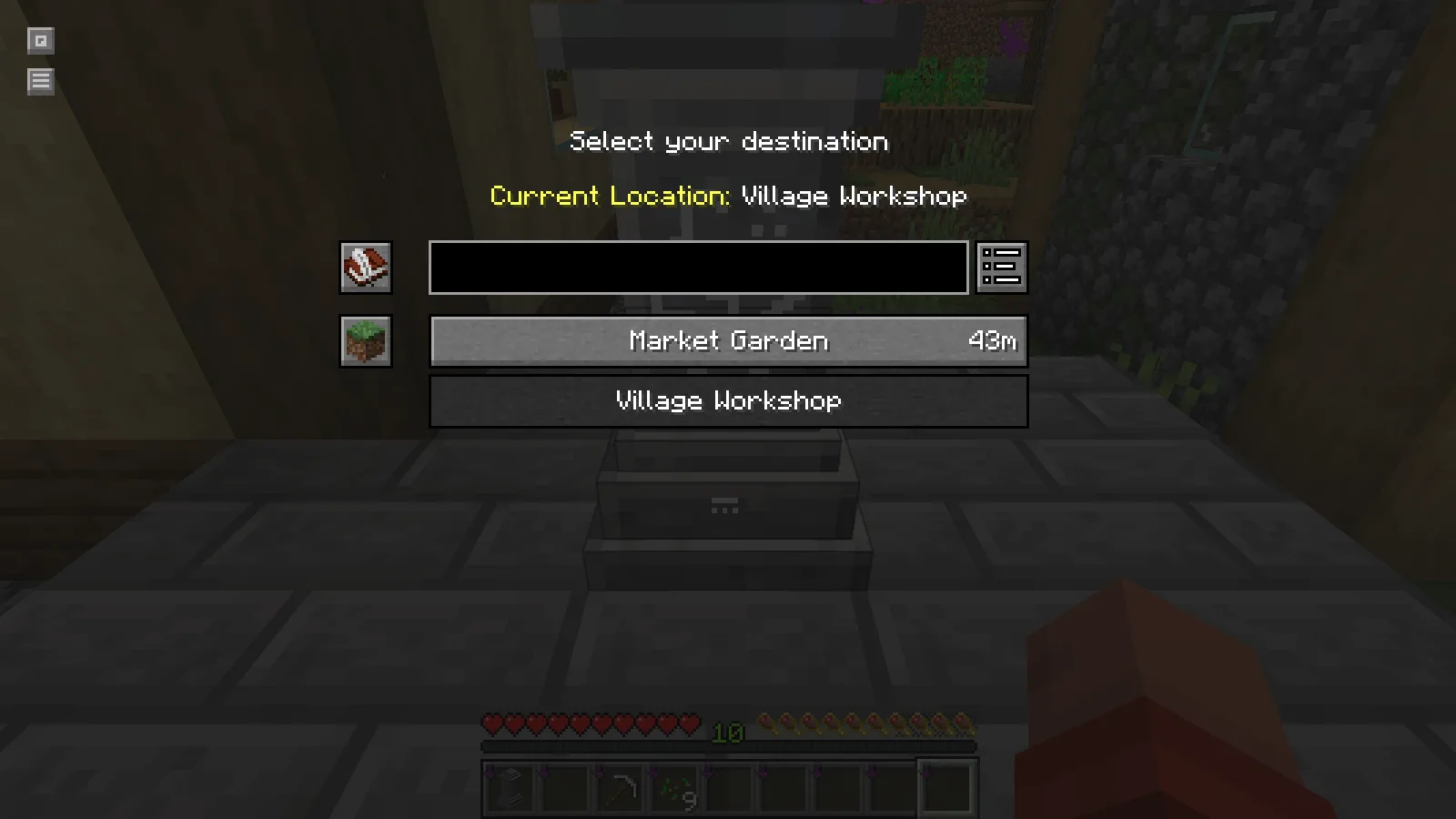
Our Java example connects Village Workshop and Market Garden. The Survival destination menu lists the garden 48 meters away; choosing it takes the player to the garden stop. In that short trip, experience remained at level 10. Costs are configurable, so read the actual destination cost and the world's rules before expecting every journey to behave the same way.
For the demonstrated Java 26.2 Fabric route, Waystones 26.2.0.12 uses Balm, Shogi and Fabric API. Match the client and server setup with the administrator. This is a change to how the group plays and travels, so agree whether it suits the world's pace before spreading stops everywhere.
Give a role the permission it needs
LuckPerms is for the server owner managing access. A builder or helper can receive a specific command without becoming an operator. In our Paper 26.2 example, adding an ordinary player to a builder group enabled the time command; removing that membership removed the access again.
Write down the job first, then select the actual permission node supplied by the relevant plugin or server. A group called “builder” does not automatically grant building tools. Likewise, LuckPerms does not create homes, an economy or a chat layout merely because you make a group for them.
The linked example uses the Bukkit/Paper plugin. It belongs on that server, not in players' Fabric mods folders. This collection presents alternative platform routes; it is not one bundle to drop into a single folder. Test a permission with an ordinary account so existing operator access does not hide a mistake.
Keep the everyday agreement simple
Add one feature and explain the action everyone should know: open the map, recognize two destinations, or request a defined role. Keep walking routes usable even when teleport stops exist, and give the map a clear meeting point. A useful feature should answer a recurring question instead of adding another unexplained menu.
When files are confusing, use the edition, loader and platform guide before installing them. A browser map, a Fabric mod and a Paper plugin can all help a group, but they enter the setup through different doors.
In this collection
This is a curated reading list. Check each project's files and requirements before installing; inclusion does not guarantee compatibility.
BlueMap: give your world a map you can walk around
Main hub · by Modonix Editorial
Give friends a browsable view of the rendered world area.
Waystones: connect a garden and workshop with named stops
Java · by MineCanvas Java Library
Connect useful places with named travel stops on the matching mod platform.
LuckPerms: give players the tools they need, one group at a time
Java · by MineCanvas Java Library
Assign a small set of server permissions to a deliberate player group.
Choose a Minecraft Download That Fits Your Game
Main hub · by Modonix Editorial
Check edition, game version and platform before combining server features.
Comments & questions
Share what worked, ask for help or reply to another player.
No comments yet. Share what worked for you.