
A better layout does not always need a rebuild. The supply chest might belong beside the crafting table; a finished doorway might work on the other side of the courtyard; a cottage might suit a different world. Choose the size of the move first. A tool that is comfortable for one chest can be the wrong choice for an entire building.
| What you want to move | Start here | What you keep track of |
|---|---|---|
| One full chest in Java | Carry On | Both hands empty, a clear route and the contents afterward |
| A repeated wall or room in Bedrock | WorldEdit Bedrock | Both selection corners and your copy/paste reference position |
| A compact build between Bedrock worlds | Structure blocks | Saved bounds, exported MCSTRUCTURE and destination offsets |
| A larger Java area including its surroundings | MCA Selector | Whole chunks, underground work and a complete world copy |
One chest: keep the move small
Carry On is the direct route for rearranging an ordinary Java supply chest. Prepare its new floor space, empty your main hand and offhand, then use the configured pickup action—Shift and right-click in our example. Walk to the new spot and right-click its supporting surface to place it.
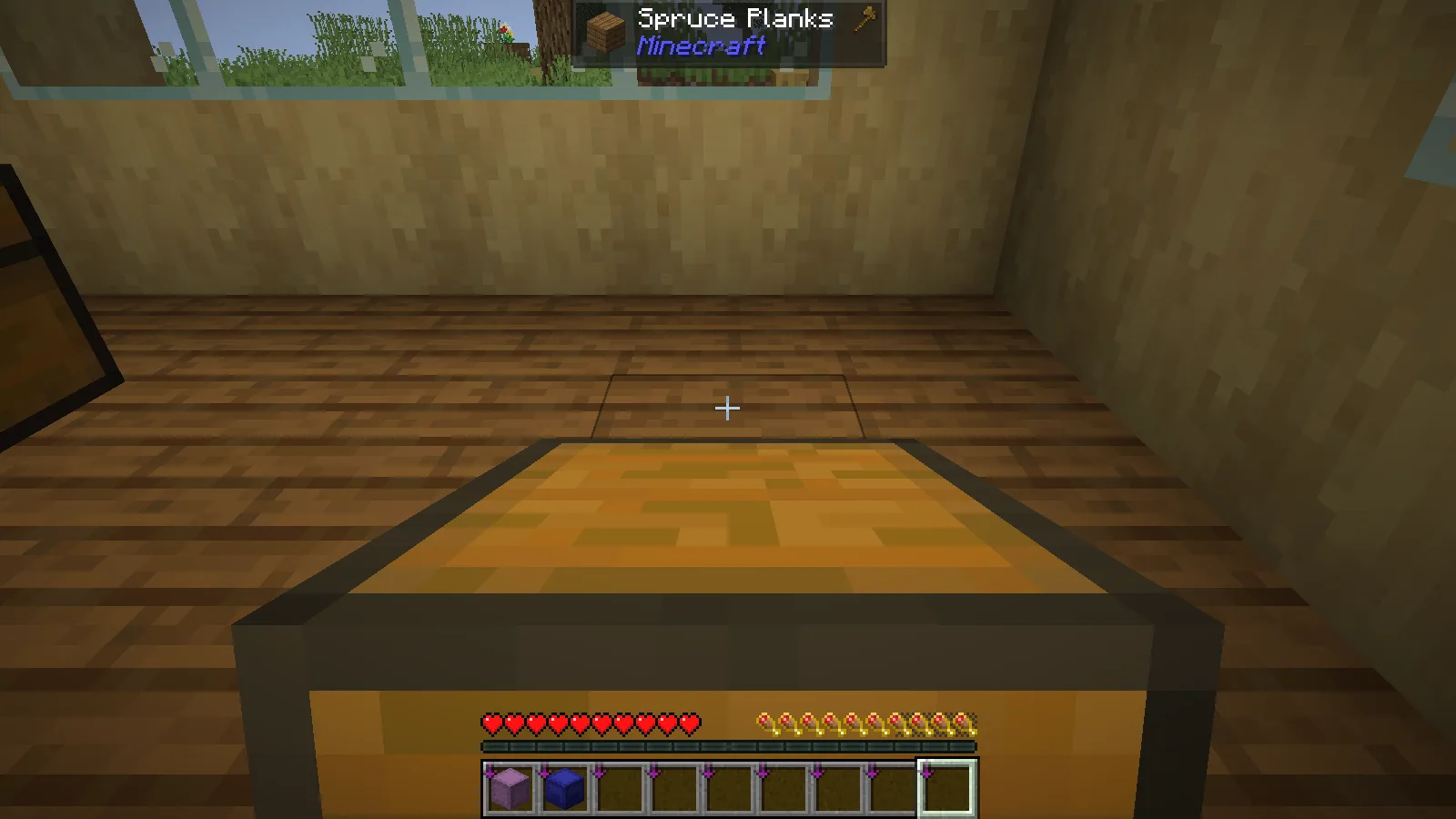
Our chest traveled four blocks across the workshop with its five item stacks preserved. That is a practical first job: move the chest, open it, and check the supplies before carrying another. The example uses Carry On 2.11.2 with Fabric on Java 26.2. A modded machine can have different restrictions; the successful single-chest move is a reason to start with a chest, not to assume every block is equivalent.
One finished section: reuse the design
WorldEdit for Bedrock suits a courtyard wall, a shop front or another section you want to repeat. Finish its proportions before copying. Select the floor-to-roof volume, including any deliberate doorway air, and inspect the outline from the side as well as the front.
Our Bedrock walkthrough fills a seven-block wall, undoes and restores it, cuts a doorway and pastes a second copy twelve blocks away. Its commands use a semicolon, such as ;copy and ;paste. The player position acts as a reference: choose a memorable point beside the source and use the equivalent point at the destination.
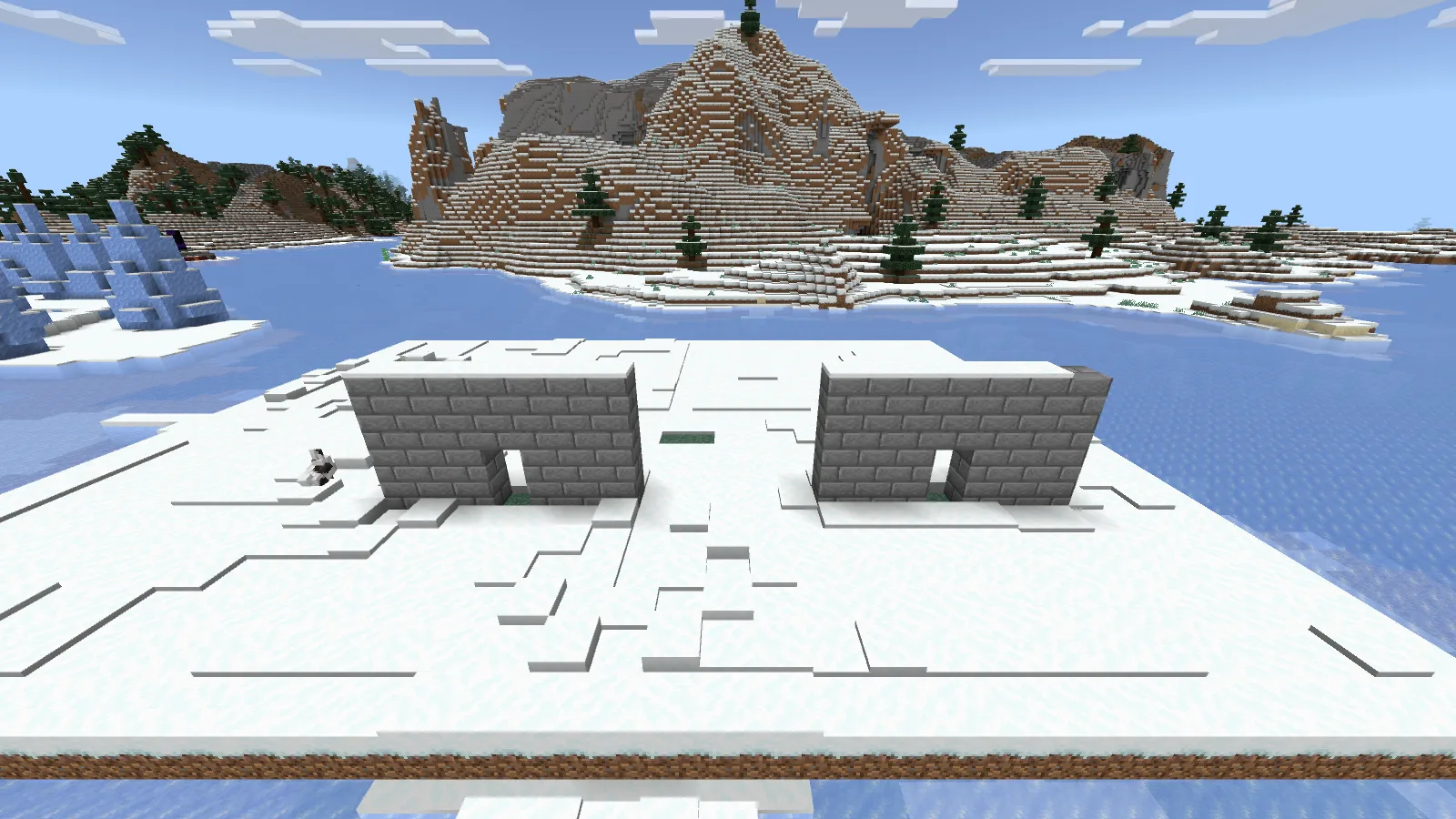
The demonstrated add-on is 0.11.0-beta.5 on Windows Bedrock 26.52, with matching packs and Beta APIs. Keep that exact route separate from Java WorldEdit commands. For relocation, copy first and keep the source until the new section is right.
Another world: export a structure
For a small Bedrock building you want to carry between worlds, use the structure-block walkthrough. Save mode lets you frame the roof, floor and protruding details; Export produces the portable MCSTRUCTURE file. In the destination world, Load → Import selects that file, and the placement offsets determine where it appears.
Check your native controls before adding Structure Porter. In our Windows 26.52 setup, Import and Export were already visible. The pack adjusts that interface; it neither supplies a house nor converts a Java schematic. Our separate acacia-house transfer worked between worlds, while the destination island was built for the demonstration.
A district is a different-sized job
MCA Selector is useful when the roads, farms and terrain around a Java build belong in the selection too. Its unit is a chunk. Our 144-chunk export includes terrain, entity and point-of-interest data, but is not a ready-to-play standalone world.
Close the save and work on a complete copy. For a single cottage, a structure boundary is usually easier to understand than chunk edges. Whichever route you choose, walk through the new doorway, inspect below the floor and check the supplies or mechanisms that matter before removing the original.
In this collection
This is a curated reading list. Check each project's files and requirements before installing; inclusion does not guarantee compatibility.
Carry On: move a full chest across your workshop
Java · by MineCanvas Java Library
Java: move one full chest, then check its contents at the destination.
WorldEdit for Bedrock: build a section once, then reuse it
Bedrock · by MineCanvas Bedrock Library
Bedrock: select and copy a finished wall or room with a clear reference point.
Load a Bedrock structure file without guessing where it belongs
Bedrock · by MineCanvas Bedrock Library
Bedrock: export a compact build and load it into another world with deliberate offsets.
Structure Porter: understand the buttons, then move a build
Bedrock · by MineCanvas Bedrock Library
Bedrock: understand Import and Export controls before changing the structure-block interface.
MCA Selector: see which chunks belong to your world
Main hub · by Modonix Editorial
Java: inspect whole chunks and export a larger area from a complete world copy.
Comments & questions
Share what worked, ask for help or reply to another player.
No comments yet. Share what worked for you.